
When a sound moves, many physical phenomena happen quite naturally. Animator enables you to use its position and movement, to control various effects at the same time from one source.
Animator
The full version of Animator for multi channel up to Atmos 9.1.6Animator Stereo
Animator for Mono or Stereo outputs only.Features
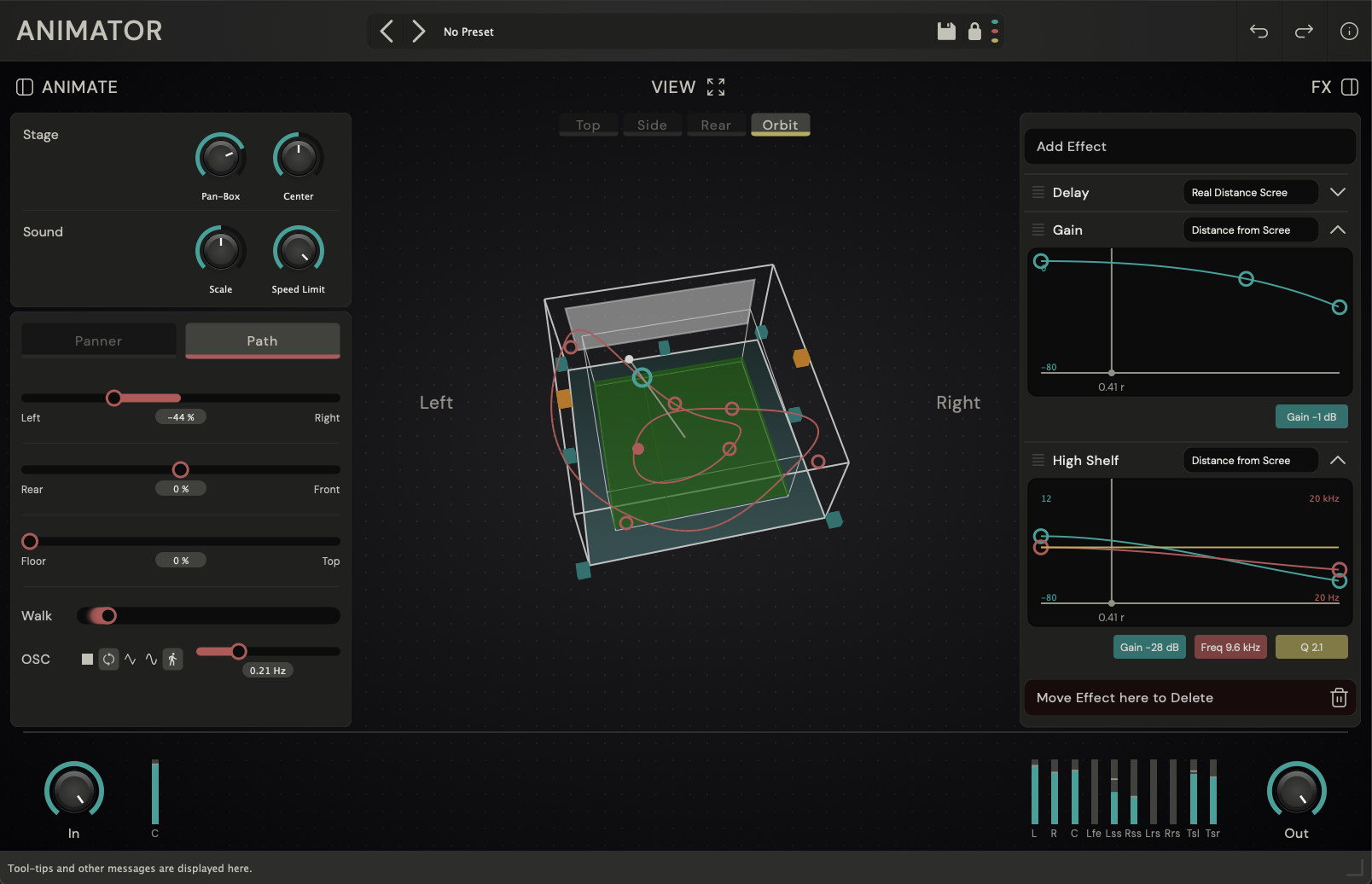
With Animator the user controls a sound source in a 3D space, either using automated parameters, or a trajectory. The source will move along that path, and it’s position is used to modulate various effects.
The effects chain is highly flexible and allows for realistic soundscapes, exaggerated effects and creative combinations. Thanks to a clever preset system, the user can quickly switch between the different setups.
- Immersive Panner from Stereo up to 9.1.6.
- Modulated effects chain.
- Free mapping curves for the effects parameters.
- Trajectory path drawing in 3-D.
- LFO to move along the trajectory.
- Pan-Box, Scaling and Speed limit for smooth movement.
Effects
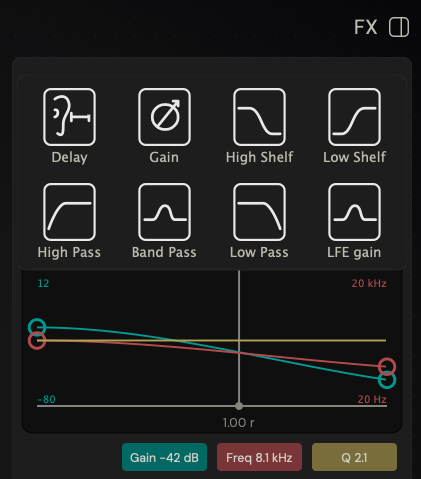
The following effects can be combined in arbitrary order and modulated:
- Delay / Speed-up/-down.
- Gain.
- High Shelf / Low Shelf.
- High Pass / Low Pass / Band Pass.
- LFE Level.
Every effect parameter can be controlled by:
- Distance from center.
- Distance from screen.
- Left-Right, Front-Back or Height.
- Speed.
- Angle and elevation angle.
The mapping from position to effect parameter can be freely mapped with a multi segment curve.
Downloads
Animator (macOS)
Installs:
- AAX (Pro Tools)
- AudioUnit
- VST3
Animator (Windows)
Installs:
- AAX (Pro Tools)
- VST3
Forum Posts about Animator
Acknowledgement
Animator was created with the tremendous help from Marcel Huibers. His insight into the workflows of audio post production is invaluable and changed the original prototypes into a fully functional product. And his coding skills and love for details shines through the whole plugin.
It wouldn’t look anything near as great without the graphics and interface design from Chris Corrado. He managed to get a clear path through the different steps and put it into an aesthetically pleasing interface.
And last but not least, thanks to Raymond and Chris from Tonstudio Gress for their early feedback and testing.